ShopDreamUp AI ArtDreamUp
Deviation Actions
Daily Deviation
Daily Deviation
September 9, 2005
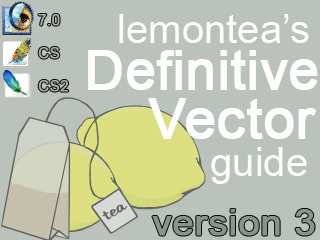
Have you ever wondered how vector artists make incredibly sharp yet smooth works of art? Well, the secret has been let out of the bag! `lemontea, vector artist extraordinaire, has now released version 3 of his Lemon's Vector Guide - Ver 3.0. In this tutorial, `lemontea walks you through step-by-step the process of making a vector. Make sure you check this deviation out to see how the pros do it!
Featured by object2bdestroyd
Suggested by mattdanna


Suggested Deviants


Suggested Collections


![Vector Pack [PSD]](https://images-wixmp-ed30a86b8c4ca887773594c2.wixmp.com/i/b6edd97b-5917-4e4f-851c-2f750ead3c1d/d8dghni-47f75e7b-3376-40f3-bfaa-bfab25a2ae2c.png/v1/crop/w_184,h_184,x_15,y_0,scl_0.39316239316239,q_70,strp/vector_pack__psd__by_theedgeofdemi_d8dghni-92s-2x.jpg)
![Vector Pack [PSD]](https://images-wixmp-ed30a86b8c4ca887773594c2.wixmp.com/i/b6edd97b-5917-4e4f-851c-2f750ead3c1d/d8dghni-47f75e7b-3376-40f3-bfaa-bfab25a2ae2c.png/v1/crop/w_92,h_92,x_7,y_0,scl_0.1965811965812,q_70,strp/vector_pack__psd__by_theedgeofdemi_d8dghni-92s.jpg)


You Might Like…


Featured in Groups


Description
This is Lemontea's Definitive Vector Guide Version 3.0.1. That title was a wee bit large for the title on DeviantART. 
For all those who have never seen version 1 or 2, this the guide for Photoshop 7 - CS2. These are true vectors; they are not rasters. Deal with it if you don't like it, you purists, but Photoshop is a capable vector program. Props off to `voodoo-prophet, ^object2bdestroyd, *turp, ~fuzzynoise, and others who have supported me and helped me with vectors so many times.
I hope this allows everyone who wants to try their hand at this tutorial to get introduced to the wonderful world of vectors.
Have fun! This weighs in at about 910KB so you might want to make a sandwich or something if you're on 56k. I promise that this tutorial works if you can sit down and try it, and I suggest you do. I've seen so many great results and people that are now better than me because of trying my tutorial when they were first getting started. I can pick out "lemontea-styled" vectors from thumbnails in the vector galleries, and it's somewhat humbling.
INSTRUCTIONS
In order to use this tutorial, you must uncompress all of the files in the zip file to the same directory. WinZIP or the default WindowsXP compression agent will allow you to do this. To launch the actual tutorial, open the "index.html" file.
If there is a problem, feel free to access this guide on-line at [link]
What's New in 3.0.1:
Fixed some HTML problems (added margins, for example)
Added small notes for the following:
- 300 DPI example of a portrait
- Autoshapes and their relation to abstract vector art
- Autoshapes and their impact on vectoring eyes
- Included a readme.html file
What's New in 3.0.0:
Updated specifically for CS2
Completely retooled the layout into multiple pages (because the content was lagging older computers).
Added the following sections:
- Using "Actions" to speed up common tasks (lossless zooming)
- Notifications of new terminology and added CS2 disclaimers
- Updated shadow and shading techniques with an example from *turp
- Making eye glasses or sunglasses
- Vectoring in Photoshop 6
- Credits given to the vector community
What's New in 2.5.7:
Added the following sections:
- Examples of "over curving" reducing fluidness of a vector
- Added three short sections on using advanced pen tool techniques
What's New in 2.5.4:
Fixed some layout issues.
Added the following sections:
- How to resume a vector shape after points are already placed.
- How to convert a Photoshop vector to EPS (and have it completely, 100% editable).
- Added a "Download" Link (although this was for the mirror of my site, I left it on there incase in some future time you wanted to download an updated version without opening DevianART or my website directly.)
What's New in 2.5:
Reference to color selection on an active vector layer.
Sets within sets for the Photoshop CS feature.
A new introduction.
Fixed 12 spelling and gramatical errors.
Placed a "word from the author" note at the bottom.
Fixed one anchor link.
What's New in 2.0:
Many tips and tricks
How to Vector line art
Lots of corrections and updates
What's New in 1.0:
How to vector a portrait.
Basic information.
Thanks everybody!
And, if you have any complaints or comments, just tell me I'd love to improve the guide. Request to your hearts content for future additions.
For all those who have never seen version 1 or 2, this the guide for Photoshop 7 - CS2. These are true vectors; they are not rasters. Deal with it if you don't like it, you purists, but Photoshop is a capable vector program. Props off to `voodoo-prophet, ^object2bdestroyd, *turp, ~fuzzynoise, and others who have supported me and helped me with vectors so many times.
I hope this allows everyone who wants to try their hand at this tutorial to get introduced to the wonderful world of vectors.
Have fun! This weighs in at about 910KB so you might want to make a sandwich or something if you're on 56k. I promise that this tutorial works if you can sit down and try it, and I suggest you do. I've seen so many great results and people that are now better than me because of trying my tutorial when they were first getting started. I can pick out "lemontea-styled" vectors from thumbnails in the vector galleries, and it's somewhat humbling.
INSTRUCTIONS
In order to use this tutorial, you must uncompress all of the files in the zip file to the same directory. WinZIP or the default WindowsXP compression agent will allow you to do this. To launch the actual tutorial, open the "index.html" file.
If there is a problem, feel free to access this guide on-line at [link]
What's New in 3.0.1:
Fixed some HTML problems (added margins, for example)
Added small notes for the following:
- 300 DPI example of a portrait
- Autoshapes and their relation to abstract vector art
- Autoshapes and their impact on vectoring eyes
- Included a readme.html file
What's New in 3.0.0:
Updated specifically for CS2
Completely retooled the layout into multiple pages (because the content was lagging older computers).
Added the following sections:
- Using "Actions" to speed up common tasks (lossless zooming)
- Notifications of new terminology and added CS2 disclaimers
- Updated shadow and shading techniques with an example from *turp
- Making eye glasses or sunglasses
- Vectoring in Photoshop 6
- Credits given to the vector community
What's New in 2.5.7:
Added the following sections:
- Examples of "over curving" reducing fluidness of a vector
- Added three short sections on using advanced pen tool techniques
What's New in 2.5.4:
Fixed some layout issues.
Added the following sections:
- How to resume a vector shape after points are already placed.
- How to convert a Photoshop vector to EPS (and have it completely, 100% editable).
- Added a "Download" Link (although this was for the mirror of my site, I left it on there incase in some future time you wanted to download an updated version without opening DevianART or my website directly.)
What's New in 2.5:
Reference to color selection on an active vector layer.
Sets within sets for the Photoshop CS feature.
A new introduction.
Fixed 12 spelling and gramatical errors.
Placed a "word from the author" note at the bottom.
Fixed one anchor link.
What's New in 2.0:
Many tips and tricks
How to Vector line art
Lots of corrections and updates
What's New in 1.0:
How to vector a portrait.
Basic information.
Thanks everybody!
And, if you have any complaints or comments, just tell me
I'd love to improve the guide. Request to your hearts content for future additions. © 2004 - 2024 lemontea
Comments430
Join the community to add your comment. Already a deviant? Log In
Thank you!